Exposing Chromium DevTools Protocol port 9222 from Docker — Chromium M113+ workaround
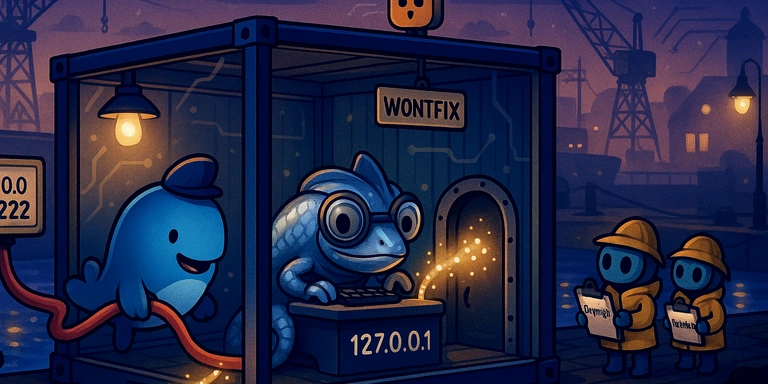
This article explains how to make the remote debugging port (9222) of a Chromium browser running inside a Docker container accessible from the host machine or other containers.
Background
In E2E testing environments using Selenium Grid or Playwright, it’s common to run browsers inside Docker containers. If you want to use the Chrome DevTools Protocol (CDP) for debugging or automation, you need external access to the remote debugging port.
Normally, passing --remote-debugging-port=9222 and --remote-debugging-address=0.0.0.0 to Chromium should allow access from outside, but in recent versions this no longer works.
Problem
Even if you start Chromium with the following options, you cannot connect from outside:
chromium \
    --remote-debugging-port=9222 \
    --remote-debugging-address=0.0.0.0 \
    --no-sandbox \
    about:blank
When you check inside the container, it’s listening on 127.0.0.1:9222 instead of 0.0.0.0:9222:
$ netstat -tlnp | grep 9222
tcp  0  0  127.0.0.1:9222  0.0.0.0:*  LISTEN  11/chromium
Cause
From Chromium M113/M114 onward, for security reasons, --remote-debugging-address=0.0.0.0 is internally forced to 127.0.0.1.
Chromium’s source code includes logic like the following:
// headless/lib/headless_browser_main_parts.cc
if (remote_debugging_address.IsIPv4AllZeros()) {
    remote_debugging_address = net::IPAddress::IPv4Localhost();
} else if (remote_debugging_address.IsIPv6AllZeros()) {
    remote_debugging_address = net::IPAddress::IPv6Localhost();
}
The reasoning is that the remote debugging port is a powerful feature that allows full control of the browser, and exposing it to a network is a serious security risk.
This is also reported in Chromium’s Bug Tracker (Issue 1425667), but the status is “WontFix,” meaning it’s treated as an intentional behavior change.
Solution
The official workarounds recommended by Chromium are:
- SSH tunneling
- Reverse proxy (nginx, socat, etc.)
- VPN
In Docker environments, SSH tunneling is not very practical, so the simplest solution is port forwarding using socat.
Implementation steps
1. Add socat to your Dockerfile
FROM debian:trixie-slim

RUN apt-get update && apt-get install -y --no-install-recommends \
    chromium \
    socat \
    # ... other required packages
    && apt-get clean \
    && rm -rf /var/lib/apt/lists/*
2. Change Chromium’s debugging port to an internal-only port
Since Chromium will only listen on 127.0.0.1, use an internal port (e.g., 9223):
# start-chrome.sh
exec /usr/lib/chromium/chromium \
    --remote-debugging-port=9223 \
    --remote-allow-origins=* \
    --no-sandbox \
    --disable-gpu \
    about:blank
3. Configure port forwarding with socat
Use socat to forward from 0.0.0.0:9222 to 127.0.0.1:9223.
Example configuration when using supervisord:
[program:chromium]
command=/usr/local/bin/start-chrome.sh
autostart=true
autorestart=true

[program:socat-debug]
command=/usr/bin/socat TCP-LISTEN:9222,fork,reuseaddr TCP:127.0.0.1:9223
autostart=true
autorestart=true
4. Expose the port in Docker
docker run -p 9222:9222 your-image
Verification
After starting the container, you can verify from the host machine with:
$ curl -s http://127.0.0.1:9222/json
[ {
   "description": "",
   "devtoolsFrontendUrl": "https://chrome-devtools-frontend.appspot.com/...",
   "id": "...",
   "title": "about:blank",
   "type": "page",
   "url": "about:blank",
   "webSocketDebuggerUrl": "ws://127.0.0.1:9222/devtools/page/..."
} ]
If JSON is returned, it’s working.
Notes for Apple Silicon Macs
When using Docker on Apple Silicon (M1/M2/M3) Macs, extra care is required.
If you build an x86_64 image by specifying --platform linux/amd64, emulation will be done via Rosetta 2. However, Chromium requires the SSE3 instruction set and will not run properly under Rosetta:
The hardware on this system lacks support for the sse3 instruction set.
For local development, you need to build natively for ARM64, and only build for x86_64 for production deployment:
# For local development (ARM64)
docker build -t my-image .

# For production deployment (x86_64)
docker build --platform linux/amd64 -t my-image .
Summary
- From Chromium M113 onward,
--remote-debugging-address=0.0.0.0is disabled for security reasons - In Docker environments, port forwarding with socat is a practical solution
- On Apple Silicon Macs, an ARM64-native build is required
This change is an intentional security hardening in Chromium, and it’s unlikely to be reverted in the future.
We look forward to discussing your development needs.