clipboard-palette
Application
2025-07-14 (14 months ago)
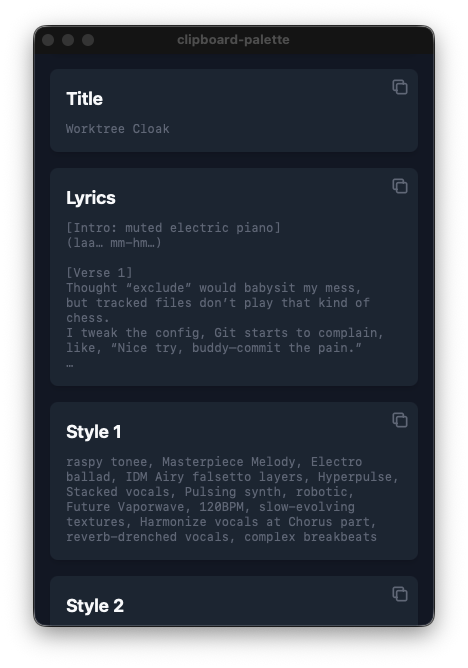
clipboard-palette
A desktop application that receives text from standard input and displays buttons to copy it to the clipboard.
Simply pipe the output of shell scripts or command-line tools, and you get one-click copy buttons instantly.
Features
- Simple pipe input: Just
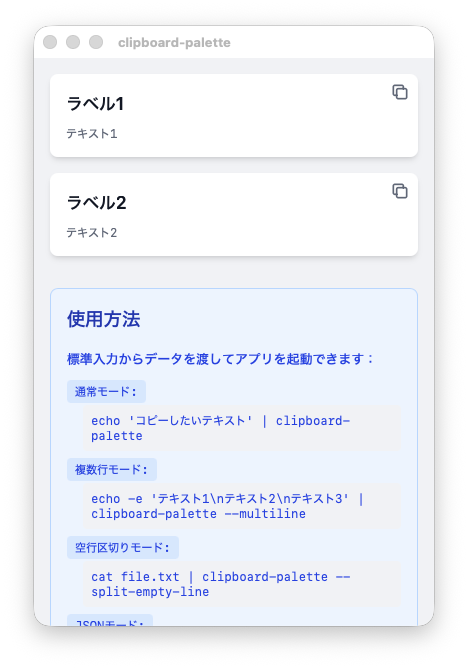
echo "text" | clipboard-palette - Multiple split modes: Split by newline, empty lines, or JSON format
- JSON input: Customizable labels and text
- Lightweight & fast: Built with Tauri + Svelte 5 + Rust
Usage Examples
# Plain text
echo "Hello, World!" | clipboard-palette

# Split by newlines
echo -e "Line1\nLine2\nLine3" | clipboard-palette --multiline

# Split by empty lines
echo -e "Section1\n\nSection2" | clipboard-palette --split-empty-line

# JSON format
echo '[{"label": "Name", "text": "Taro"}]' | clipboard-palette --json
Tech Stack
- Tauri 2 (Desktop app framework)
- Svelte 5 (Frontend)
- Tailwind CSS 4 (Styling)
- Rust + clap (Backend & CLI argument parsing)