Secondary Terminal
Application
2025-06-28 (15 months ago)
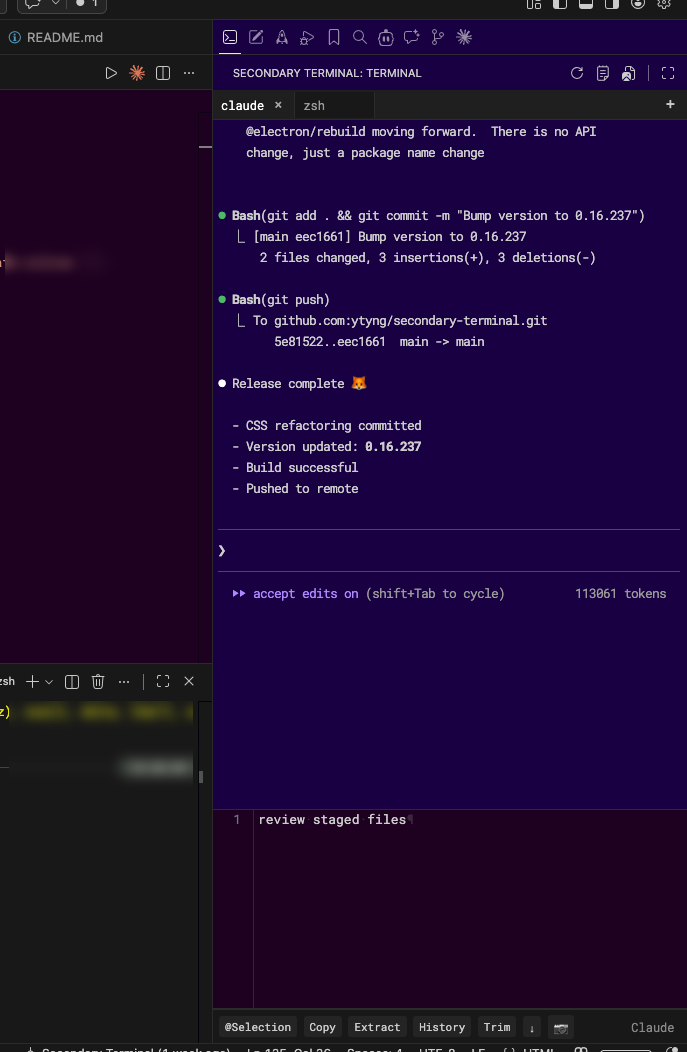
Secondary Terminal
A full-featured terminal extension that runs in the VSCode sidebar.
Installation
Available on the VSCode Marketplace.
You can also open the VSCode Extensions view (Cmd+Shift+X / Ctrl+Shift+X) and search for "Secondary Sidebar Terminal" to install it.
Requirements: The pseudo-terminal is implemented with Python's
ptymodule, so it requires a Unix-like OS such as macOS or Linux, along with Python 3 installed.
Features
- Sidebar Terminal: Terminal integrated into the VSCode sidebar
- Full PTY Emulation: Genuine pseudo-terminal implementation using Python's pty module
- Interactive App Support: vim, less, nano, and other interactive applications work correctly
- Dynamic Resizing: Automatically adjusts terminal size to match sidebar dimensions
- UTF-8 Support: Correctly displays multibyte characters including Japanese
- Multi-Tab: Independent shell process and ACE editor per tab
- ACE Editor Integration: Built-in command editor per tab; send to terminal with
Cmd+Enter - Clipboard Image Paste: Insert clipboard images as file path references (macOS)
- Drop Zone: Drag & drop files from explorer to insert path references
Technical Background
Since node-pty native modules cannot be properly built in VSCode's Electron environment, a custom PTY emulation using Python's pty module was implemented.
The frontend uses xterm.js, and Node.js child_process handles communication between VSCode and Python.
Tech Stack
- Frontend: xterm.js + ACE Editor
- Backend: Python pty module
- Communication: Node.js child_process
- Language: TypeScript