Gamepad (Rear Multi-Button)
Motivation
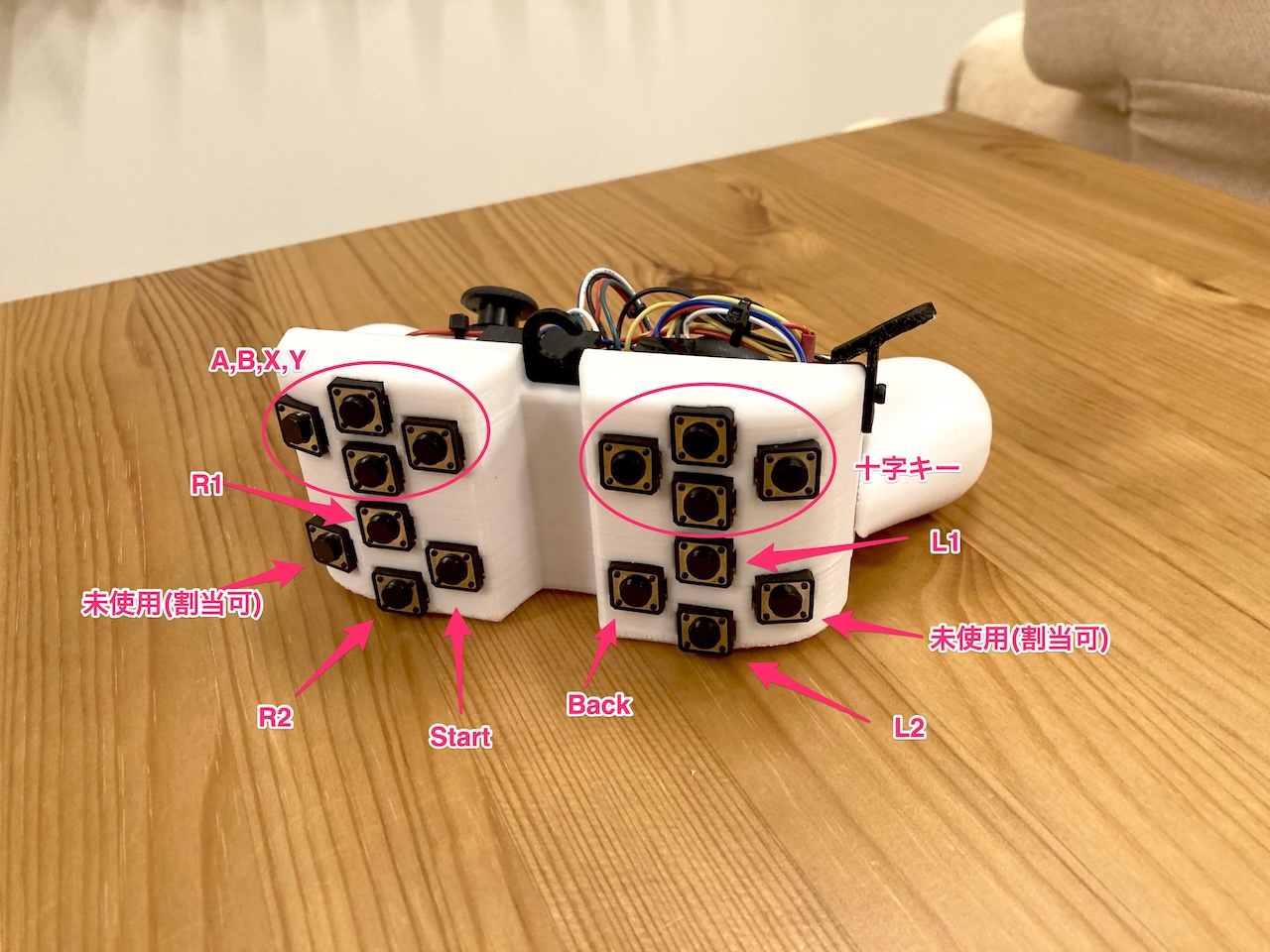
When playing FromSoftware games like Armored Core 6 or Elden Ring, a standard gamepad might not have enough buttons for simultaneous operations.
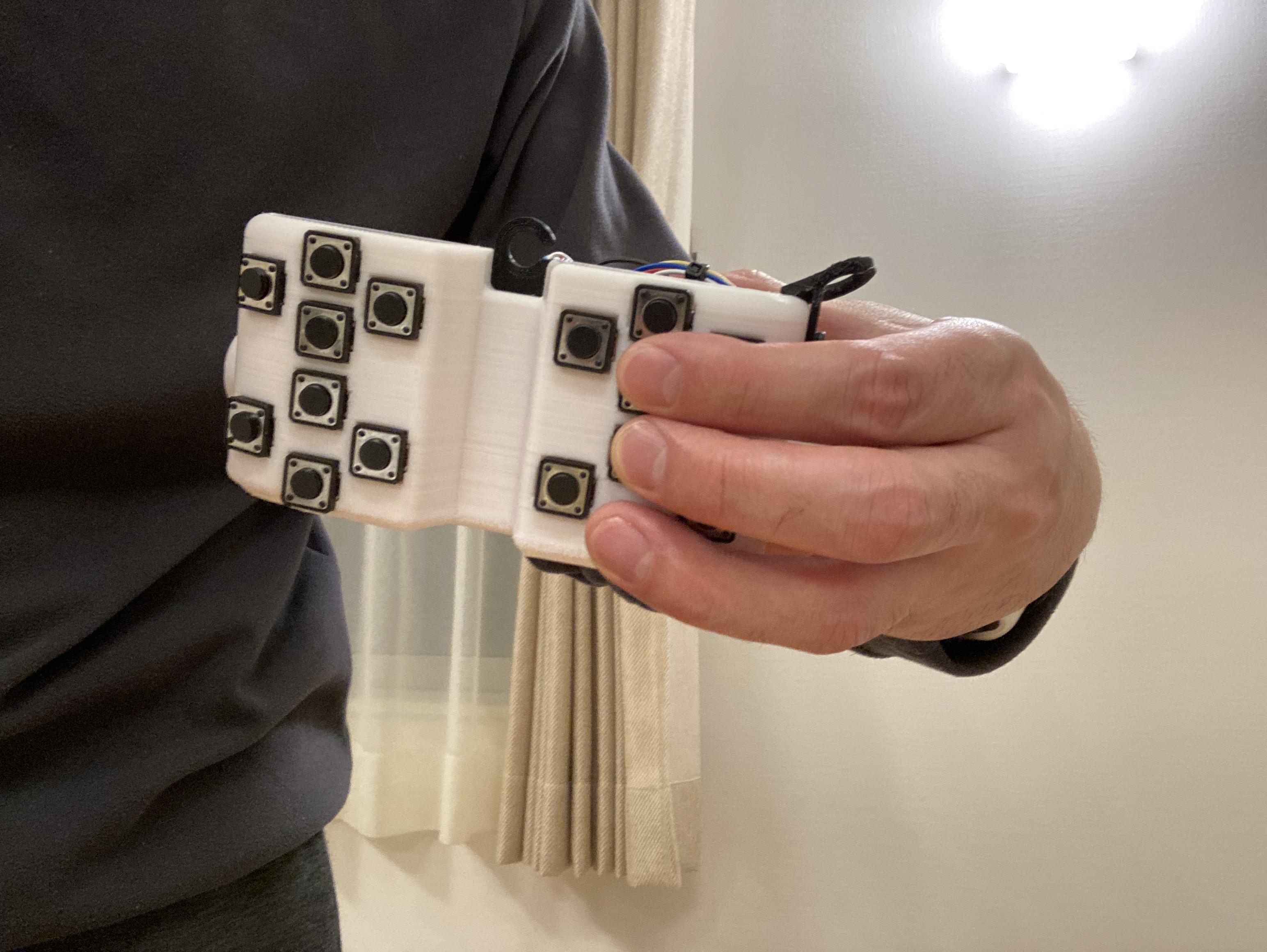
With a traditional controller, you can't operate the D-pad or ABXY buttons while manipulating the thumbstick with your thumb.
Although I tried using the so-called "Monster Hunter grip," where you use your index finger to press the D-pad or ABXY buttons, this caused discomfort and seemed unhealthy in the long run. Hence, I decided to create a dedicated gamepad.
Overview
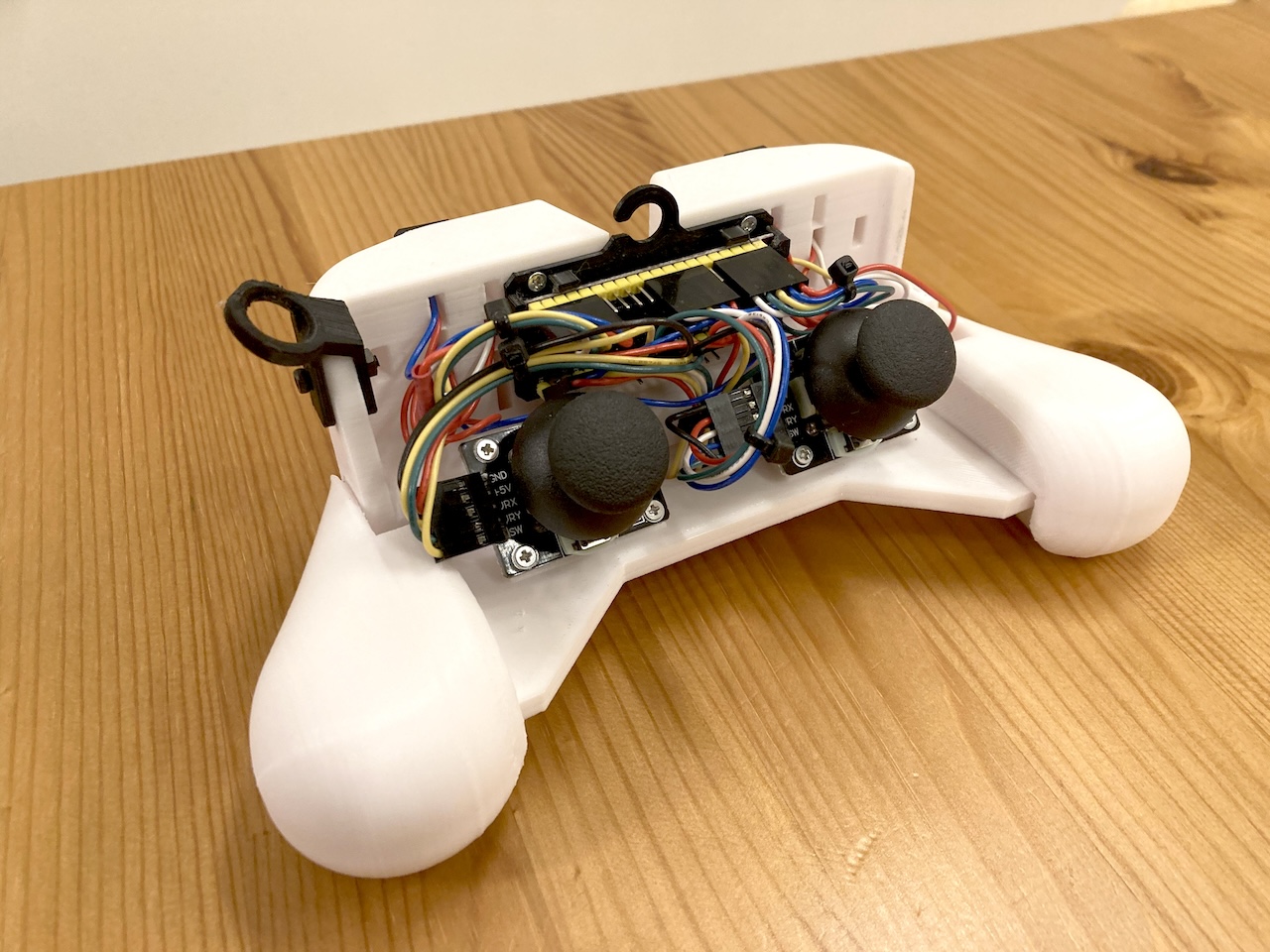
- The frame is 3D printed.
- Since it's a prototype, the wiring is exposed.
- The buttons are 12mm tactile switches purchased from Amazon—cheap ones.
- The analog stick is a DualShock-style stick module, also bought from Amazon.
- The microcontroller used is a Raspberry Pi Pico.
- The code is written in CircuitPython.
Analog Input on Raspberry Pi
A standard Raspberry Pi Pico has only three analog inputs. Although the RP2040 can handle four analog inputs, the Pico only has three wired.
Some third-party microcontroller boards using the RP2040 offer four analog inputs. For example, Waveshare RP2040-Zero.
This time, I purchased a Raspberry Pi Pico-compatible board with a purple PCB from AliExpress. It's often referred to as Raspberry Pi Pico Purple.
Firmware
Though I'm using CircuitPython, if you download and use the standard firmware for the Pico from the CircuitPython site, you can only use three analog inputs.
Therefore, it's better to use firmware built for microcontroller boards that support four analog inputs. I used the firmware for the Waveshare RP2040-Zero.