VSCode Side Launcher
Application
2025-07-26 (14 months ago)
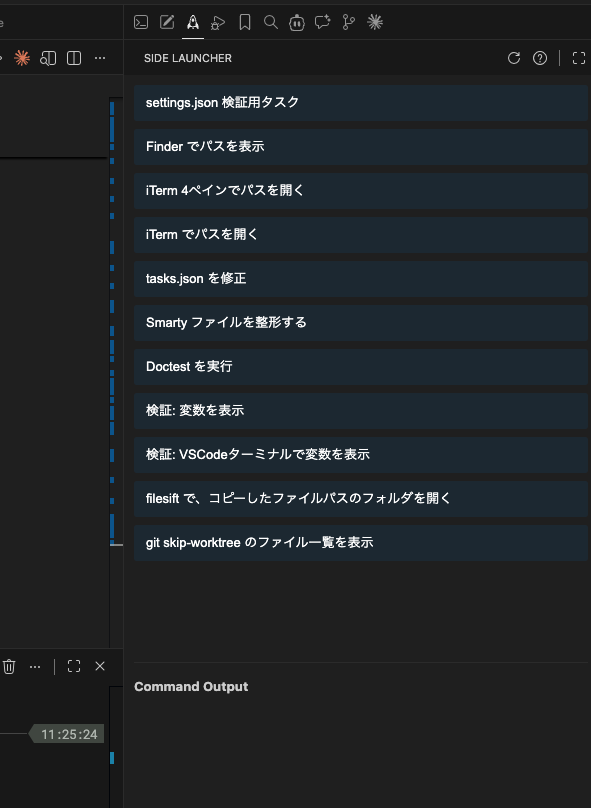
VSCode Side Launcher
A VSCode extension that adds a command launcher to the sidebar.
Features
- Sidebar Launcher: Display command execution buttons in the VSCode sidebar
- Flexible Configuration: Define commands via VSCode settings.json or an external JSON file
- Two Execution Modes: Choose between child_process execution (results shown in sidebar) or VSCode terminal execution
- Environment Variables: Access workspace and file info using
$WORKSPACE_ROOT,$CURRENT_FILE_RELATIVE_PATH, etc. - Real-time Output: View command results in real time
- Error Debugging: Identify error causes with stack trace display
Usage
Simply define tasks in your VSCode settings.json:
{
  "sideLauncher.tasks": [
    {
      "label": "Run Tests",
      "command": "cd $WORKSPACE_ROOT && npm test"
    },
    {
      "label": "Git Add Current File",
      "type": "shellOnVSCode",
      "command": "git add $CURRENT_FILE_RELATIVE_PATH"
    }
  ]
}
You can also define global tasks in ~/.config/vscode-side-launcher/tasks.json.