---
slug: "pycharm-jetbrains-editor-no-single-click-open-file-in-folder-tree-project-view"
title: "Settings to Revert Single Click to Open Files in Folder Tree (Project View) to Double Click in PyCharm (and Other JetBrains Editors)"
description: "To revert the behavior of opening files with a single click in the folder tree (Project View) to double-click in PyCharm (and other JetBrains editors), navigate to Preferences → Editor → General → Editor Tabs → Opening policy → Enable preview tabs."
url: "https://www.ytyng.com/en/blog/pycharm-jetbrains-editor-no-single-click-open-file-in-folder-tree-project-view"
publish_date: "2023-12-31T06:02:48Z"
created: "2023-12-31T06:02:48Z"
updated: "2026-02-27T09:46:19.705Z"
categories: []
keywords: ""
featured_image_url: "https://media.ytyng.com/resize/20250611/82cf1a8c7db7407a845ebcb4ac2b1026.png.webp?width=768"
has_video: true
has_music: true
video_urls: ["https://media.ytyng.net/ytyng-blog/300/featured-video-1.mp4", "https://media.ytyng.net/ytyng-blog/300/featured-video-2.mp4", "https://media.ytyng.net/ytyng-blog/300/featured-video-3.mp4"]
music_urls: ["https://media.ytyng.net/ytyng-blog/300/featured-music-300-3.mp3", "https://media.ytyng.net/ytyng-blog/300/featured-music-300-4.mp3"]
lang: "en"
---

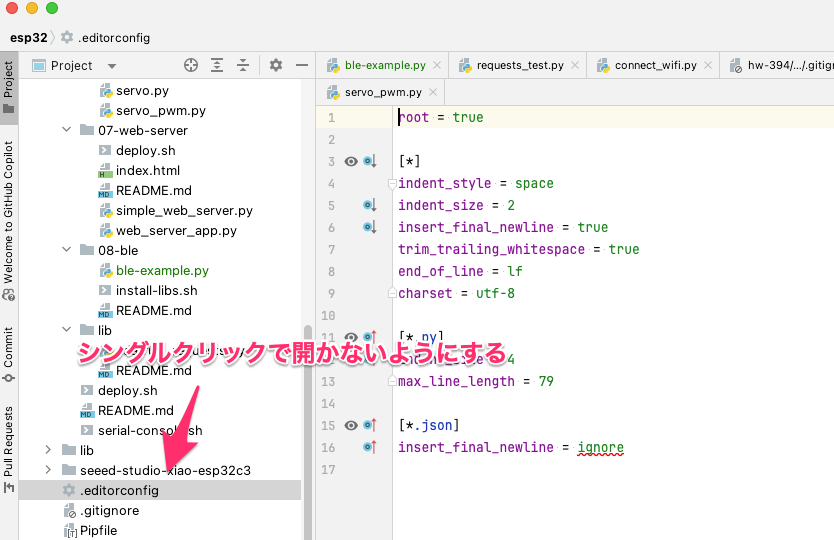
# Settings to Revert Single Click to Open Files in Folder Tree (Project View) to Double Click in PyCharm (and Other JetBrains Editors)

![Image](https://media.ytyng.com/20231231/4036b954380743eca1e3e810cbae55c6.png)

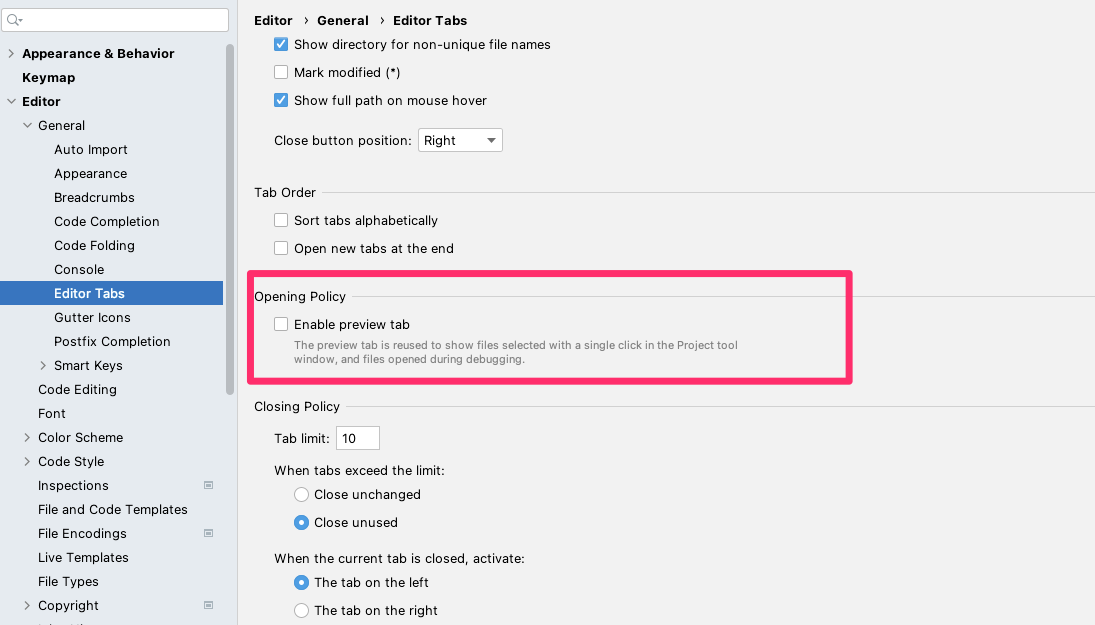
Disable the option in Preferences → Editor → General → Editor Tabs → Opening policy → Enable preview tabs
![Image](https://media.ytyng.com/20231231/ca5ca15ba6ce464eb84fe8bf113d1a21.png)

It seems to be enabled by default now.

[How to disable single-click "open file" from Project view – IDEs Support (IntelliJ Platform) | JetBrains](https://intellij-support.jetbrains.com/hc/en-us/community/posts/9020214641554-How-to-disable-single-click-open-file-from-Project-view)