Running Local LLMs on an M4 Mac mini 16GB — Practical Options and Limits

Introduction
I tested running a local LLM on a 16GB Mac mini. It is not fast, but it gets into the practical range, and if you include power consumption (around 30W under load) in the picture, it is not bad. As a place to offload light 7-9B tasks it has a high ROI, but it is not suited to regular use with a heavy coding agent.
This article is a record of the model selection, runtime selection, and setup steps for running a local LLM on an M4 Mac mini base (16GB unified memory), and of the problems I ran into when I actually ran it. The problems in the second half, that is, what was really behind "the response is slow / the body does not come back" when running the Qwen3.5 family on Ollama, are the main subject of this article.
1. The Constraint of 16GB
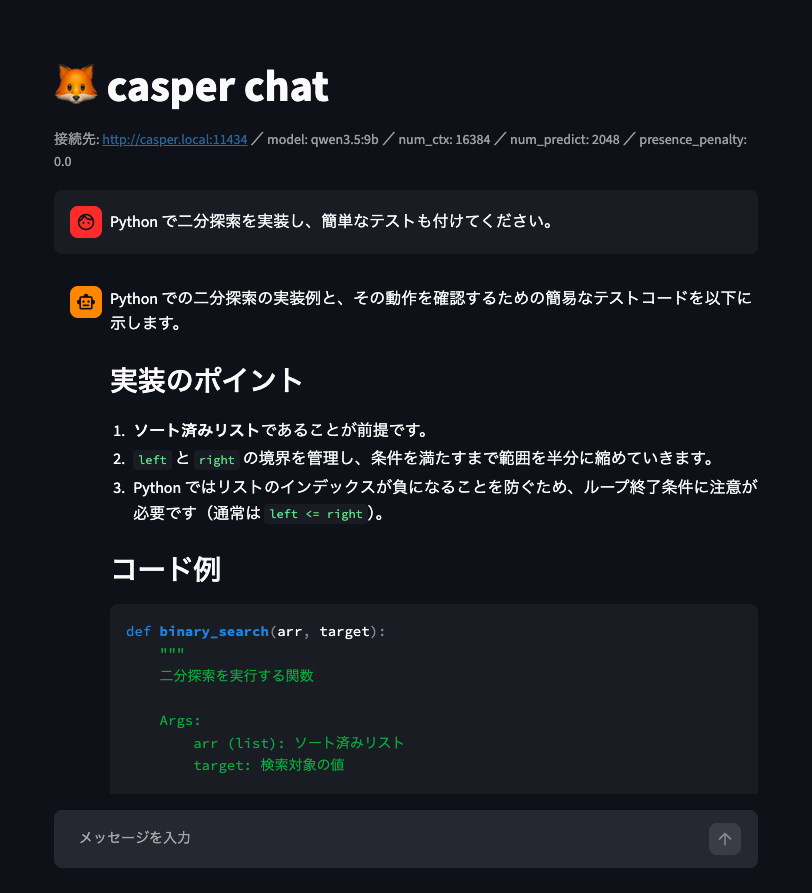
With 16GB of unified memory, what runs comfortably is up to the 7-9B class at Q4 quantization. If you run something over 14B at Q4, it swaps to virtual memory, drops below 5 tok/s, and is not usable.
And model size is not the only thing that decides the limit. The KV cache and the context length eat memory. Even if the model itself fits, with a long context or with other apps running in the background, memory runs short there first. With 16GB you need to think in terms of "do the model + KV cache + OS + working apps fit at the same time", not "does the model fit".
2. Architectural Differences Between Unified Memory and NVIDIA GPUs
For comparison, I put it side by side with the NVIDIA GeForce RTX 3060 12GB I have on hand.
| Aspect | RTX 3060 12GB | M4 Mac mini 16GB |
|---|---|---|
| Memory bandwidth | 360 GB/s (GDDR6) | 120 GB/s (LPDDR5X) |
| 7-8B Q4 speed | about 38-45 tok/s | about 20-35 tok/s |
| Memory capacity | Dedicated 12GB (the capacity wall is hard) | Unified 16GB (degrades gradually) |
| prefill | Strong (CUDA) | Weak |
| Power consumption | 170W class | about 30W |
| Ecosystem | CUDA (mature) | MLX / Metal |
LLM token generation is limited by memory bandwidth, so the NVIDIA GPU, which has 3 times the bandwidth, is faster in raw generation speed. The Mac, on the other hand, has unified capacity that is flexible, low power consumption, and quiet operation, and is suited to running 24 hours a day. It is not a matter of which is better; their characteristics are different. For heavy inference, you are better off just using an NVIDIA GPU (CUDA).
3. Model Selection
My daily driver is Qwen3.5-9B (Q4_K_M, about 6.6GB, Ollama tag qwen3.5:9b). It fits in 16GB with room to spare, and supports 256K context, vision, tools, and thinking.
Note that a model called "Qwen3.6-9B" does not exist. 9B is in the Qwen3.5 family. The Qwen3.6 family has only dense 27B and 35B-A3B (MoE). The A3B (active 3B) of MoE is about speed and amount of computation, "only 3B runs per token", and the full 35B has to be loaded into memory. If you don't know this, you misunderstand it as "it is equivalent to 3B, so it runs on 16GB".
4. Runtime Selection
The local inference stack is accurately understood as 3 layers.
- GGML: a C tensor computation library (matrix calculation, memory management, GPU kernels). The foundation.
- llama.cpp: implements inference itself on top of GGML (model loading, forward pass, sampling, GGUF,
llama-server). The core of almost every local inference tool. - Ollama: an operations wrapper that sits on top of llama.cpp (
ollama pull, Modelfile, automatic memory management, OpenAI-compatible API).
Ollama once left llama.cpp and tried its own engine, but in May 2026 it went back to upstream llama.cpp (llama-server). Now it has two tracks: "GGUF on llama.cpp, safetensors for Apple Silicon on MLX".
On 16GB, Ollama-GGUF is the realistic answer. This is because Ollama's MLX backend recommends 32GB+ of unified memory, treats 16GB as out of scope, and falls back to llama.cpp. If you seriously want MLX speed, you would use mlx-lm directly instead of Ollama, but for a 16GB always-on server, plain Ollama-GGUF is fine.
5. Setup
Basically this is all.
ollama pull qwen3.5:9b
OLLAMA_HOST=0.0.0.0 ollama serve   # Expose it so other devices on the LAN can connect
However, the Homebrew formula version of ollama (0.30.x series) does not include the llama-server binary and cannot start (GitHub issue #16535). It stops with llama-server binary not found. Using the official build (the .dmg from ollama.com, or brew install --cask ollama-app) solves it. The CLI refers to the llama-server bundled with the app.
It is safer not to be greedy with context length from the start, and to begin with it fixed at 8K to 16K. For an always-on server, fix it in a Modelfile.
cat > Modelfile <<'EOF'
FROM qwen3.5:9b
PARAMETER num_ctx 8192
PARAMETER temperature 0.3
EOF
ollama create qwen-dev -f Modelfile
Check with ollama ps whether the model is actually loaded in unified memory. If it falls into swap, the perceived speed dies, so always look at this.
6. Measurements and Pitfalls (Main Topic)
Raw generation speed is about 18 tok/s with 9B / M4 base. This is the real ability of this setup.
But at first, an input as small as "こんにちは" ("hello") took 30 to 60 seconds, and on top of that an empty reply sometimes came back. I looked into the causes in order, and the real causes came down to 3.
Root Cause 1: thinking (Most Important)
Qwen3.5 is a reasoning model, and unless you specify think explicitly, thinking is ON by default. In that case the output flows into the message.thinking field, and generation goes on with message.content still empty. Then, when thinking uses up num_predict (the limit on generated tokens), it is cut off with done_reason: length before it reaches the answer, and it ends with content still empty.
When I actually called it with curl, content was empty and only thinking was filled, with 256 tokens. This was what the "empty reply" really was.
The fix is to set think to false. There are 2 points to be careful about, though (Ollama issue #14793).
- Pass
thinkas a top-level parameter, not insideoptions. - Pass it with the chat API (the generate API has a bug where it ignores
think: false).
curl http://your-host:11434/api/chat -d '{
  "model": "qwen3.5:9b",
  "messages": [{"role": "user", "content": "あなたの知識カットオフの年月日を教えて。1文で簡潔に。"}],
  "stream": false,
  "think": false,
  "options": {"presence_penalty": 0.0, "num_predict": 256}
}'
With think: false, the same question came back in 16 tokens and 6 seconds, with the answer properly in content.
But accuracy drops a lot compared with the think case. This is the limit of the machine's specs, so there is no choice but to compromise.
Root Cause 2: presence_penalty = 1.5
Ollama's default presence_penalty for qwen3.5 is high, at 1.5. This is a parameter that strongly penalizes tokens that have already appeared in order to encourage novelty, and 1.5 works in the direction of "keep saying new things without wrapping up", which becomes a secondary cause of long output. If you lower it to 0, the response ends naturally at an appropriate length.
Notes on num_predict
If num_predict is set to 4096, then when the runaway above happens it generates the full 4096 tokens, and at 18 tok/s that takes 3 minutes 48 seconds. Being made to wait that long on every failure wears you down, so lower it to 512 to 1024 to limit the damage. With thinking turned off, a normal response ends long before that, so 512 is enough.
Initial Misdiagnosis and Correction
At first I suspected that the empty replies in multi-turn were "a context cache bug in the Qwen3.5 hybrid architecture". But when I looked at the response JSON, the real cause was simply that thinking was eating up the token budget. The behavior "a single shot returns, but multi-turn is empty" is also fully explained by the difference between thinking finishing within the budget and overflowing it. I verified it on my own machine and corrected the conclusion.
Self-Reported Cutoff Dates Are Not Reliable
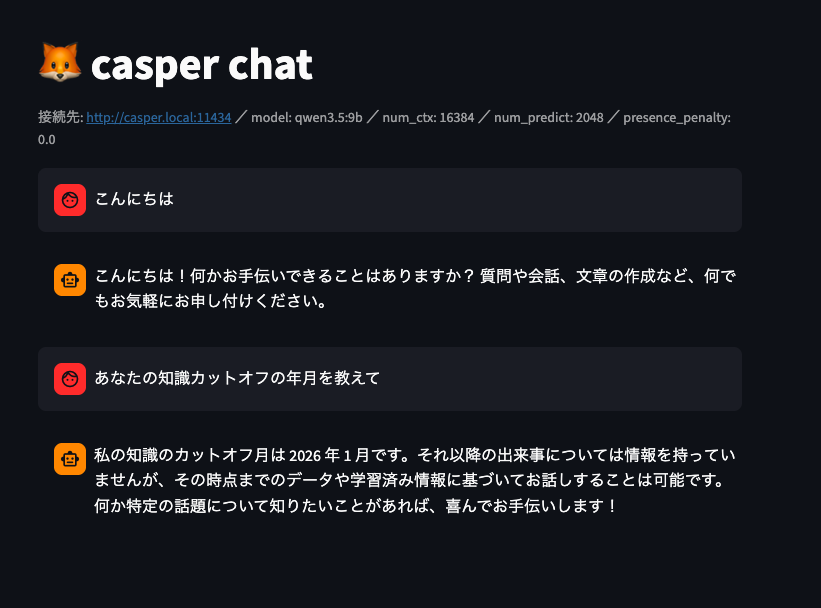
While I'm at it. If you ask the model "when is your knowledge cutoff?", it answers something like "2026", but this cannot be trusted. The model does not hold the last date of its training data as a fact it can retrieve; it is only generating a plausible value. It cannot be used as a benchmark metric.
It was also written about on Reddit
Confirmed Settings
think: false
presence_penalty: 0.0
num_predict: 512
7. Chat App for Connecting
I wrote a simple chat that connects over the LAN to Ollama on the Mac mini, as a single file with PEP 723 + uv. With the #!/usr/bin/env -S uv run --script shebang and inline script metadata, it is complete in one file, dependencies (streamlit / ollama / watchdog) included.
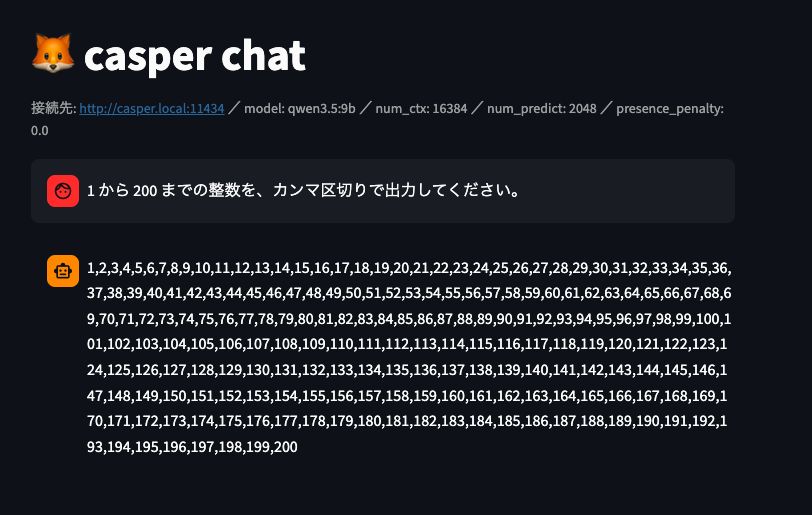
(By the way, casper is the name of the Mac mini I use for testing)
#!/usr/bin/env -S uv run --script
# /// script
# requires-python = ">=3.11"
# dependencies = [
#     "streamlit>=1.43",
#     "ollama",
#     "watchdog",
# ]
# ///
"""
casper_chat_vision.py — Chat with image input support that talks to Ollama on casper (portable single-file version)

casper_chat.py with "image attachment" added. It can pass images to vision-capable
models such as Qwen3.5-9B. Attach an image from the clip (📎) in the chat input box and send it.

Run:
    chmod +x casper_chat_vision.py
    ./casper_chat_vision.py
    → uv automatically installs the dependencies into an isolated environment and starts it in the browser

In an environment where the shebang cannot be used:
    uv run --script casper_chat_vision.py

Prerequisites:
    Ollama must be running on the casper side, exposed to the LAN
        OLLAMA_HOST=0.0.0.0 ollama serve
    A vision-capable model must already be pulled (qwen3.5:9b supports it)
        ollama pull qwen3.5:9b

Notes:
    - Image attachment accepts only the extensions in file_type. Sending to a model without vision support causes an error.
    - Images are stacked in the conversation history and resent (re-prefilled) every turn. The M4 is weak at prefill, so
      large images, multiple images, or long conversations get slow. When it is heavy, use 「会話をクリア」 (clear conversation) or shrink the images.
"""
# pyright: reportMissingImports=false
import sys


def run_app() -> None:
    """The app itself, which runs on the Streamlit runtime."""
    import streamlit as st
    from ollama import Client

    # ---- Default settings (can be overridden in the sidebar) ----
    DEFAULT_HOST = "http://casper.local:11434"
    DEFAULT_MODEL = "qwen3.5:9b"
    IMAGE_TYPES = ["png", "jpg", "jpeg", "webp", "gif", "bmp"]

    st.set_page_config(page_title="casper chat (vision)", page_icon="🦊")
    st.title("🦊 casper chat (vision)")

    with st.sidebar:
        st.header("設定")
        host = st.text_input("Ollama host", DEFAULT_HOST)
        model = st.text_input("Model", DEFAULT_MODEL)
        st.caption("画像を送るなら vision 対応モデル(例: qwen3.5:9b)にすること。")

        num_ctx = st.selectbox(
            "context window (num_ctx)",
            [4096, 8192, 16384, 32768],
            index=2,  # default 16384
            help="会話履歴+生成の合計上限。変更すると Ollama がモデルを再ロードする。"
            "画像は多くのトークンを消費するので、画像を使うなら大きめが安全。",
        )

        unlimited = st.checkbox(
            "出力上限なし (EOS まで, num_predict=-1)", value=False
        )
        num_predict_slider = st.slider(
            "max tokens (num_predict)", 256, 8192, 2048, 256
        )
        num_predict = -1 if unlimited else num_predict_slider

        temperature = st.slider("temperature", 0.0, 1.5, 0.3, 0.1)

        # presence_penalty: Ollama's default for qwen3.5 is 1.5, and this is the main cause of long, rambling output.
        # At 0 the response ends naturally at an appropriate length. If repetition bothers you, raise it to around 0.3.
        presence_penalty = st.slider(
            "presence_penalty", 0.0, 1.5, 0.0, 0.1,
            help="モデル既定の 1.5 が長文暴走の原因。0 で適切な長さに。繰り返すなら 0.3 程度。",
        )

        # thinking: when ON, the thinking goes to the thinking field and content tends to be empty (#14793).
        # Default OFF = the answer goes straight into content and it is fast.
        think_enabled = st.checkbox(
            "thinking を有効化(推論モデルの思考)", value=False,
            help="OFF 推奨。ON だと思考に予算を使い遅くなる/空返答になりやすい。",
        )

        if st.button("会話をクリア", use_container_width=True):
            st.session_state.messages = []
            st.rerun()

    np_label = "無制限(EOSまで)" if num_predict == -1 else str(num_predict)
    st.caption(
        f"接続先: {host} / model: {model} / num_ctx: {num_ctx} / "
        f"num_predict: {np_label} / presence_penalty: {presence_penalty}"
    )

    client = Client(host=host)

    # ---- Conversation history (kept across turns) ----
    # Each user message has the form {"role","content","images"?}.
    # images is a list of bytes (ollama-python base64-encodes them automatically).
    if "messages" not in st.session_state:
        st.session_state.messages = []

    def render_message(m: dict) -> None:
        """Show one history entry: content and attached images."""
        with st.chat_message(m["role"]):
            if m.get("content"):
                st.markdown(m["content"])
            for img in m.get("images", []):
                st.image(img, width=240)

    for m in st.session_state.messages:
        render_message(m)

    # ---- Input (text + image attachments) → streaming response ----
    chat = st.chat_input(
        "メッセージを入力(📎 から画像も添付可)",
        accept_file="multiple",
        file_type=IMAGE_TYPES,
    )
    if chat:
        text = (chat.text or "").strip()
        images = [f.getvalue() for f in (chat.files or [])]

        if not text and not images:
            st.stop()  # ignore empty submissions

        user_msg = {"role": "user", "content": text}
        if images:
            user_msg["images"] = images
        st.session_state.messages.append(user_msg)
        render_message(user_msg)

        with st.chat_message("assistant"):
            thinking_box = None
            if think_enabled:
                thinking_box = st.expander("🧠 thinking", expanded=False).empty()
            content_box = st.empty()
            thinking_text = ""
            content_text = ""
            try:
                # Pass think at the top level, not in options (Ollama chat API spec / #14793).
                for chunk in client.chat(
                    model=model,
                    messages=st.session_state.messages,
                    stream=True,
                    think=think_enabled,
                    options={
                        "num_ctx": num_ctx,
                        "num_predict": num_predict,
                        "temperature": temperature,
                        "presence_penalty": presence_penalty,
                    },
                ):
                    msg = chunk["message"]
                    t = msg.get("thinking") or ""
                    c = msg.get("content") or ""
                    if t and thinking_box is not None:
                        thinking_text += t
                        thinking_box.markdown(thinking_text)
                    if c:
                        content_text += c
                        content_box.markdown(content_text)
            except Exception as e:
                content_text = (
                    f"⚠️ 通信エラー: {e}\n\n"
                    f"確認: ①casper で `OLLAMA_HOST=0.0.0.0 ollama serve` が起動しているか "
                    f"②host({host})と model({model})が正しいか "
                    f"③画像を送ったなら model が vision 対応か ④同一 LAN にいるか。"
                )
                content_box.markdown(content_text)

            # Only thinking came back and content is empty = a sign it was cut off mid-thinking because num_predict was too small
            if not content_text and thinking_text:
                content_box.markdown(
                    "⚠️ 思考だけで終わって答えが出てない。"
                    "thinking を OFF にするか num_predict を上げてくれ。"
                )

        st.session_state.messages.append(
            {"role": "assistant", "content": content_text}
        )


def _running_under_streamlit() -> bool:
    """Determine whether this is running on the streamlit runtime."""
    try:
        from streamlit.runtime import exists
        return exists()
    except Exception:
        return False


if __name__ == "__main__":
    if _running_under_streamlit():
        run_app()
    else:
        from streamlit.web import cli as stcli

        sys.argv = ["streamlit", "run", __file__, "--server.headless=true"]
        sys.exit(stcli.main())
There are 3 points.
- Streamlit can only be started with
streamlit run, so I added a bootstrap that checks withstreamlit.runtime.exists()and, if it was started with plain python, restarts itself understreamlit runviastcli.main(). - In the sidebar you can operate host / model / num_ctx / num_predict / temperature / presence_penalty, and the ON/OFF toggle for thinking.
thinkis passed at the top level. - When thinking is ON,
message.thinkingis shown in an expander andmessage.contentin the body, separately. If content is empty and only thinking comes back, it shows a "it ended with thinking only" warning, to prevent an empty reply where nothing is displayed.
The part that receives the stream is around here.
for chunk in client.chat(
    model=model,
    messages=st.session_state.messages,
    stream=True,
    think=think_enabled,           # top level, not options
    options={
        "num_ctx": num_ctx,
        "num_predict": num_predict,
        "temperature": temperature,
        "presence_penalty": presence_penalty,
    },
):
    msg = chunk["message"]
    t = msg.get("thinking") or ""
    c = msg.get("content") or ""
    if t and think_enabled:
        thinking_text += t
        thinking_box.markdown(thinking_text)
    if c:
        content_text += c
        content_box.markdown(content_text)
How to write a portable script with PEP 723 + uv is covered in a separate article.
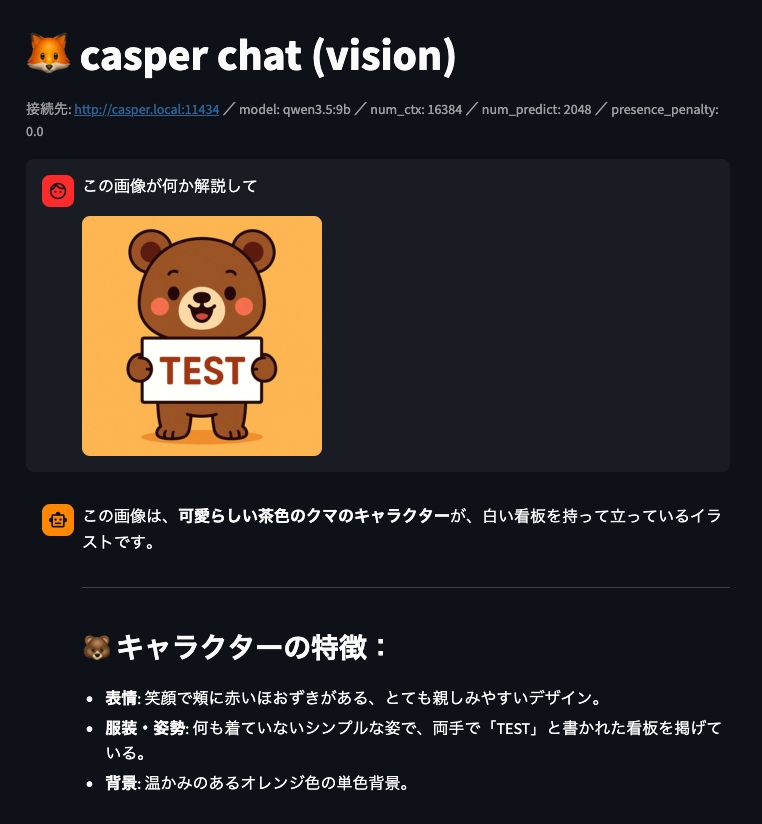
It can also recognize images
Related posts


We look forward to discussing your development needs.